Comparison · Published October 17, 2026 · 7 min read
thum.io Alternative: Comparing URL-Based Screenshot APIs
Quick answer
thum.io is a good choice for cheap, public website thumbnails you drop straight into an <img src>: it is URL-based, offers a free monthly allowance and supports referer checks or signed requests to protect keys. Look for a thum.io alternative when you need full-page captures on a low budget, waits for specific elements, PDF and WebP output, cookie-banner blocking, batch and diff endpoints, or self-hosting. SnapshotFlow covers those, used through a small proxy on your server.
See SnapshotFlow in action
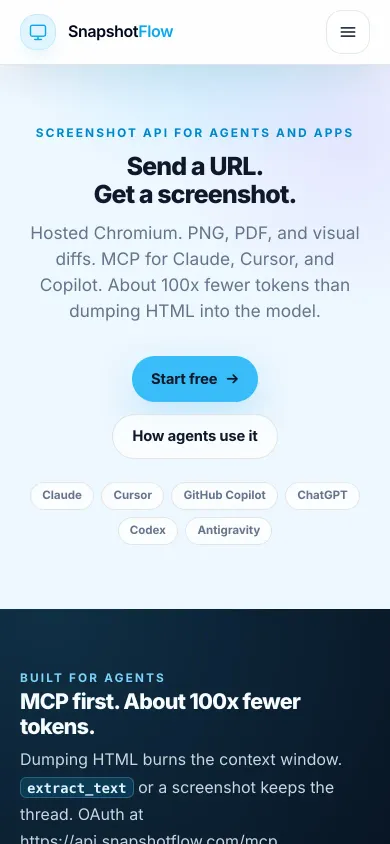
If you are used to image.thum.io URLs, the request shape will feel familiar: one GET per image, options as parameters. These are real captures of our own homepage made with the request below, not retouched.
request
Full page, including the parts that load on scroll
When we took these captures, our homepage revealed sections with an animation as you scrolled (we have since removed it). A plain full-page capture therefore came out with empty blocks: the content was there, just still invisible. Adding a styles parameter that switched the animation off for the capture fixed it:

full_page=true only
styles below · open full imageScroll-triggered animations are one of the most common reasons full-page screenshots look broken, whichever tool you use. With an API that accepts CSS and JavaScript injection, the fix is a parameter, not a code change on the site.
People who search for thum.io alternatives usually like its model, one URL per image with no SDK, and hit a limit: a missing option, the price of the plan that unlocks it, or a need for more control. This comparison summarizes thum.io's public documentation in our own words as of October 2026. Options, plans and prices change, so check its site before deciding.
How thum.io works
You put options as path segments in front of the target URL:
Its documentation lists options for output size, height, caching and format, and marks some of them (such as full-page captures, waiting and device presets) as part of a higher plan. For the complete, current list of options and prices, see thum.io's own documentation and homepage linked below; we only reference the option names needed for the parameter map.
Side by side
| thum.io | SnapshotFlow | |
|---|---|---|
| Request style | Options in the URL path | Query parameters or JSON body; key in header or api_key |
| Key protection for public img tags | Referer checks or signed requests | No signed URLs yet; use a server-side proxy |
| Full page | Higher plan | full_page=true, including the free tier |
| Wait | Seconds after load (higher plan) | wait_until, wait_for_selector, delay |
| Formats | PNG, JPG; separate PDF mode | PNG, JPEG, WebP, PDF |
| Page cleanup | Not documented | block_cookie_banners, block_ads, hide_selectors, custom CSS/JS |
| Element capture | Not documented | selector |
| Many URLs, diffs | Prefetch queue | /batch (10 URLs), /diff, async jobs with webhooks |
| AI agents | Not documented | Remote MCP server |
| Free use | Free monthly allowance (see thum.io's site) | 300 screenshots per new account |
Have a list of image.thum.io URLs? Try one of the target pages in the playground with full page and WebP switched on.
Try it in the playgroundWhat thum.io users get by switching
full_page=true is available from the free tier.wait_for_selector waits for the content you need instead of a fixed number of seconds.format=webp, and PDFs from the same endpoint.block_cookie_banners, block_ads and hide_selectors remove overlays before capture./batch request and pixel diffs between two URLs.Every item maps to a documented parameter in the API reference.
When thum.io is the better fit
- You only need viewport thumbnails and want to put the URL directly into HTML with no backend.
- Volume is high and low per-hit pricing is the main criterion.
- Referer-protected keys are enough security for your use.
When to switch
- You need full-page captures or waits without moving to a higher plan.
- Pages are JavaScript apps and you need to wait for a specific element, not a fixed number of seconds.
- Cookie banners and chat widgets ruin your thumbnails.
- You want WebP for smaller files, PDF from the same API, or element-only captures.
- You need batch jobs, visual diffs, webhooks, an MCP tool for agents, or to self-host inside your network.
Parameter map
| thum.io | SnapshotFlow | Note |
|---|---|---|
width/600 | image_width=600 | Resizes the output image |
viewportWidth/1200 | width=1200 | Browser viewport width |
crop/800 | height=800 or clip_* | Viewport height, or an exact region |
fullpage | full_page=true | |
wait/3 | delay=3000 | Milliseconds; prefer wait_for_selector |
png / allowJPG | format=png / format=jpeg | Also webp and pdf |
maxAge/12 | cache=false to refresh | Cache TTL is set server-side |
iphoneX | viewport_mobile=true + width/height + device_scale_factor |
Using it in an img src
A plain GET URL with api_key in the query works in an <img> tag, but anyone can copy the key from the page source. For public pages, add a small route on your server that attaches the key and caches the result, then point your images at it:
Takeaways
- thum.io is simple and cheap for public viewport thumbnails in img tags.
- Switch when you need full page, element waits, cleanup, WebP/PDF, batch or diffs.
- With SnapshotFlow, serve images through your own proxy route instead of exposing the key.
thum.io is a trademark of its owner. SnapshotFlow is not affiliated with, endorsed by or sponsored by thum.io. Details about thum.io are summarized from its public documentation and homepage as of October 2026 and may have changed; if you spot an inaccuracy, tell us and we will correct it.
Sources
FAQ
Is thum.io free?
thum.io advertises a free monthly allowance and paid plans billed by usage, with some options such as full-page captures reserved for a higher plan. Limits and prices change, so check thum.io's own site for the current terms.
Can I use SnapshotFlow directly in an img src like thum.io?
The API accepts the key as an api_key query parameter, so a GET URL works in an img tag, but that exposes the key to anyone who views the page. Use a small proxy route on your server that adds the key and caches the image.
Does SnapshotFlow support signed URLs or referer-restricted keys?
Not at the moment. You can create several API keys with labels and revoke one if it leaks, but for public pages the recommended pattern is a server-side proxy.
How do I convert image.thum.io/get/fullpage/ URLs?
Point the img at your proxy route and pass full_page=true to the API. The parameter map in this article lists the equivalents for width, crop, wait, png and device options.
Try the same URLs on SnapshotFlow
Paste one of your image.thum.io targets into the playground, set full page, wait and format, and compare the output. The free tier gives you 300 screenshots, no credit card required.