---
title: "SnapshotFlow | Screenshot API for Agents and Apps"
description: "Screenshot API for AI agents and apps. Send a URL, get a PNG, PDF or visual diff. MCP for Claude, Cursor and Copilot. About 100x fewer tokens. 300 free shots."
url: "https://snapshotflow.com/"
---
Screenshot API for agents and apps
# Send a URL.
Get a screenshot.
Hosted Chromium. PNG, PDF, and visual diffs. MCP for Claude, Cursor, and Copilot. About 100x fewer tokens than dumping HTML into the model.
[Start free →](https://dashboard.snapshotflow.com/#/register) How agents use it
- [Claude Code](https://snapshotflow.com/mcp/claude-code)
- [Claude](https://snapshotflow.com/mcp/claude)
- [Cursor](https://snapshotflow.com/mcp/cursor)
- [GitHub Copilot](https://snapshotflow.com/mcp/vs-code)
- [Codex](https://snapshotflow.com/mcp/codex)
- [ChatGPT](https://snapshotflow.com/mcp#clients)
- [Antigravity](https://snapshotflow.com/mcp/antigravity)
- [Zed](https://snapshotflow.com/mcp/zed)
Built for agents
## MCP first. About 100x fewer tokens.
Dumping HTML burns the context window. `extract_text` or a screenshot keeps the thread. OAuth at https://api.snapshotflow.com/mcp.
- [Claude Code](https://snapshotflow.com/mcp/claude-code)
- [Claude](https://snapshotflow.com/mcp/claude)
- [Cursor](https://snapshotflow.com/mcp/cursor)
- [GitHub Copilot](https://snapshotflow.com/mcp/vs-code)
- [Codex](https://snapshotflow.com/mcp/codex)
- [ChatGPT](https://snapshotflow.com/mcp#clients)
- [Antigravity](https://snapshotflow.com/mcp/antigravity)
- [Zed](https://snapshotflow.com/mcp/zed)
[Read MCP docs](https://snapshotflow.com/mcp) [Start free](https://dashboard.snapshotflow.com/#/register)
Agent, no tool
What's on this live page?
I'll fetch the HTML.
184k tokens. History truncated.
Agent + SnapshotFlow
What's on this live page?
extract\_text · screenshot
Send a URL. Get a screenshot. Hosted Chromium, PNG, PDF, visual diffs.
1.8k tokens. Full history kept.
```
{
"mcpServers": {
"snapshotflow": {
"url": "https://api.snapshotflow.com/mcp"
}
}
}
```
How it works
## URL to file in three steps
1. 1
### Send a URL
Any live page. No HTML upload. No browser on your machine.
2. 2
### One API request
Hosted Chromium loads it with 40+ capture parameters.
3. 3
### PNG, PDF, or diff
Get the file, a webhook, or a visual overlay for CI.
One request
```
curl "https://api.snapshotflow.com/screenshot?url=https://github.com" \
-H "X-Api-Key: $SNAPSHOTFLOW_KEY" \
--output github.png
```
PNG
github.png
Result

Capabilities
## Everything you'd build on
headless Chrome. Already built.
Visual regression
### Catch UI bugs before your users do
**Before**

**After**
 _Button missing_
× Deploy blocked
OG images
### Every shared link gets a rich preview
J **Jordan** We just launched: vercel.com
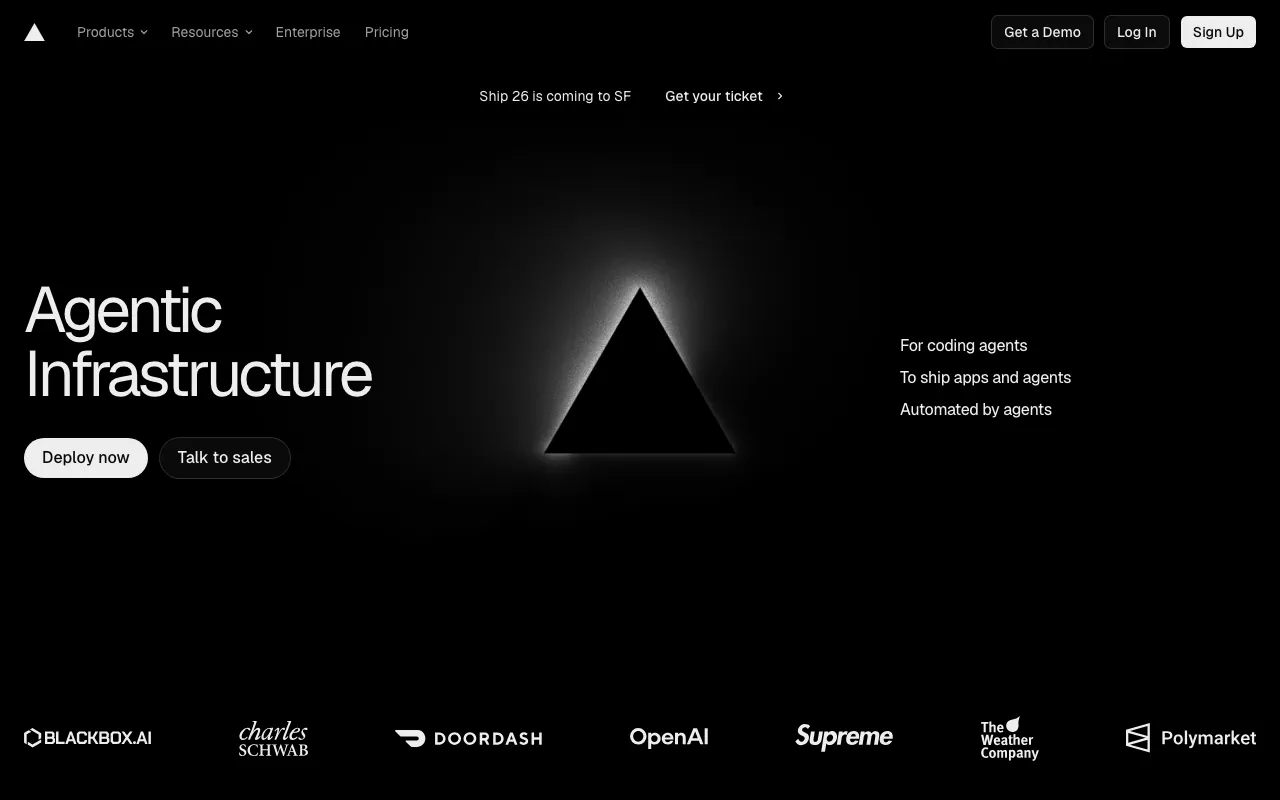
Agentic Infrastructure
1200 × 630
24 · 8
PDF export
### Any web page to PDF

→
 **PDF**
Page cleanup
### Screenshots without the popups
**Before**

Get 10% off
Subscribe
_We use cookies_
**After**

Change monitoring
### Know the moment a page changes
! **Competitor raised prices** acme.com/pricing · just now
- Starter **$19**
- Pro **$59**
- Team **$99**
Website thumbnails
### Live link previews inside your app
https://vercel.com **Add**

github.com

wikipedia.org

vercel.com
### All six. One API key.
300 free screenshots. No credit card.
[Start free →](https://dashboard.snapshotflow.com/#/register) [Open playground](https://snapshotflow.com/playground)
Who it is for
## A concrete result for each team
Visual diffs
### [QA and engineering](https://snapshotflow.com/use-cases/visual-regression-testing)
Fail the build when pixels moved.
1
failing check
blocks the deploy
Thumbnails
### [SaaS products](https://snapshotflow.com/blog/link-preview-api)
Live link previews inside your app.
<2s
live preview
per link thumbnail
OG images
### [Marketing and SEO](https://snapshotflow.com/use-cases/og-image-generation)
Rich previews from the live page.
1200×630
OG capture
from the live URL
MCP
### [AI agents](https://snapshotflow.com/mcp)
About 100x fewer tokens than dumping HTML.
100×
fewer tokens
vs raw HTML dump
Why not Playwright
## SnapshotFlow instead of self-hosted Playwright
### SnapshotFlow
GET /screenshot?url=github.com

MCP connected
- One HTTP call
- 40+ params built in
- MCP for agents
- Queue and webhooks
### Self-hosted Playwright
CI runner
RAM 98%
**×** **×** **×**
TimeoutError
OOM killed
- Chrome on every runner
- A script per job
- No shared agent setup
- Timeouts and leaks
Chrome extension
## Full-page screenshots. Right in Chrome.
No API key, no code. Capture the page open in your browser, mark what matters, and save PNG, JPG or PDF.
- Full page, visible area, a selected region or a scrolling panel
- Arrows, text notes, numbered steps, highlights and solid redaction
- Crop, then export PNG, JPG or a multi-page PDF
[Install extension ↗](https://chromewebstore.google.com/detail/snapshotflow-%E2%80%94-full-page/afajammcmlliolpeoonkncgdefeeaaap) [See all features](https://snapshotflow.com/chrome-extension)
Under 100 KB. Free local capture and editing. No account. No watermark.
[EXT SnapshotFlow for Chrome 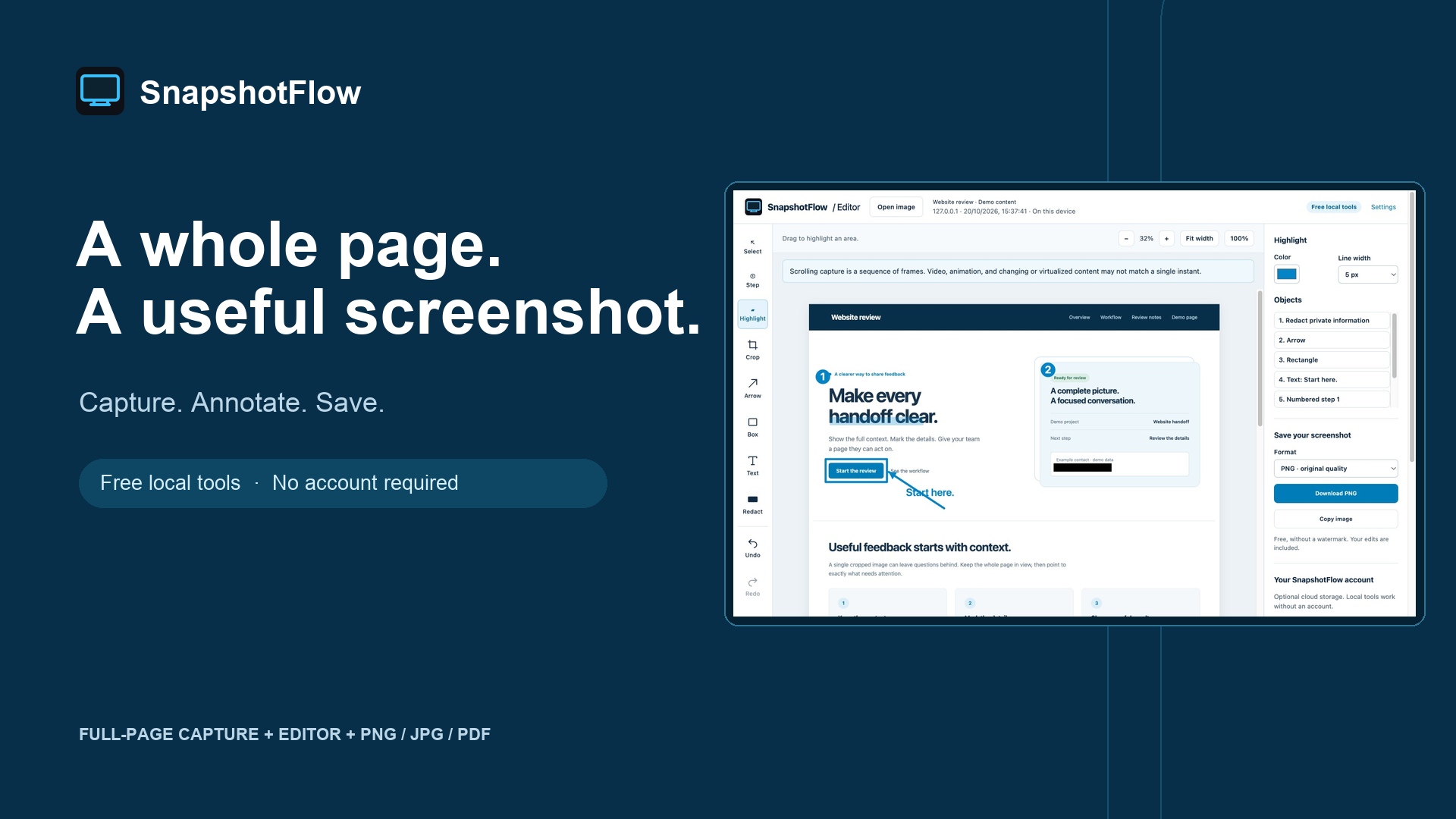](https://snapshotflow.com/chrome-extension)
Security and reliability
## Isolated Chrome. Signed callbacks. OAuth for agents.
### Isolated Chromium

One capture. One Chrome.
### API keys and MCP OAuth
REST key
MCP OAuth
REST key. Agent OAuth.
### Signed webhooks
POST 200
~169.254.169.254~
Signed. Timed. SSRF-checked.
### Signed download links
capture.png Signed URL Expires
Stored captures open through time-limited links.
Pricing
## Start free. Scale on the same API.
Four plans, from a free tier to high-volume Scale. Every plan uses the same API, so upgrading never means rewriting your integration.
[View pricing →](https://snapshotflow.com/pricing)
Integrations
## MCP first. Then Node, Java, HTTP.
Choose an integration
MCP Agents Node.js SDK Java SDK JavaScript HTTP cURL CLI
mcp.json
take.ts
App.java
capture.js
capture.sh
```
{
"mcpServers": {
"snapshotflow": {
"url": "https://api.snapshotflow.com/mcp"
}
}
}
```
```
import { SnapshotFlow } from "snapshotflow";
const client = new SnapshotFlow({
apiKey: process.env.SNAPSHOTFLOW_API_KEY,
});
const shot = await client.take({
url: "https://example.com",
fullPage: true,
width: 1440,
});
await shot.save("example.png");
```
```
SnapshotFlow client = SnapshotFlow.builder()
.apiKey(System.getenv("SNAPSHOTFLOW_API_KEY"))
.build();
ScreenshotResult shot = client.take(
TakeOptions.url("https://example.com")
.fullPage(true)
.width(1440));
shot.save(Path.of("example.png"));
```
```
const params = new URLSearchParams({
url: "https://example.com",
full_page: "true",
width: "1280",
});
const res = await fetch(
`https://api.snapshotflow.com/screenshot?${params}`,
{ headers: { "X-Api-Key": YOUR_API_KEY } }
);
const blob = await res.blob();
```
```
curl "https://api.snapshotflow.com/screenshot?url=https://example.com" \
-H "X-Api-Key: $SNAPSHOTFLOW_KEY" \
--output screenshot.png
```
[MCP docs →](https://snapshotflow.com/mcp) [Node.js docs →](https://snapshotflow.com/screenshot-api/nodejs) [Java docs →](https://snapshotflow.com/screenshot-api/java) [JavaScript docs →](https://snapshotflow.com/screenshot-api/javascript) [cURL docs →](https://snapshotflow.com/screenshot-api/curl)
Parameters
## 40+ parameters. Pick a recipe.
### [Clean capture](https://snapshotflow.com/blog/cookie-banner-screenshot-api)
**Before**
N North Start
Ship the next view.
Open workspace
Sponsored
Overview
Reports
Live
We use cookies Accept
**After**
N North Start
Ship the next view.
Open workspace
Overview
Reports
Live
- `block_ads`
- `block_cookie_banners`
[Open in playground →](https://snapshotflow.com/playground)
### [Full page](https://snapshotflow.com/blog/full-page-screenshot-api)
N North Start
Ship the next view.
Open workspace
Overview
Reports
Live
- `full_page`
[Open in playground →](https://snapshotflow.com/playground)
### [PDF export](https://snapshotflow.com/blog/webpage-to-pdf-api)
N North Start
Ship the next view.
Open workspace
Overview
Reports
Live
→
N North Start
Ship the next view.
Open workspace
Overview
Reports
Live
**PDF**
- `format=pdf`
- `full_page`
[Open in playground →](https://snapshotflow.com/playground)
### [OG image](https://snapshotflow.com/use-cases/og-image-generation)
N North Start
Ship the next view.
Open workspace
Overview
Reports
Live
1200 × 630
- `width`
- `height`
[Open in playground →](https://snapshotflow.com/playground)
From the blog
## Latest screenshot guides
- MCP
### [Browser MCP Servers Compared: Playwright MCP vs Chrome DevTools MCP, Browser MCP, Browser Use and a Hosted Option](https://snapshotflow.com/blog/browser-mcp-servers-compared)
Six ways to give Claude Code, Cursor or Codex a browser: what each MCP server is good at, how it handles your logins, and which one to install first.
- AI
### [Screenshot to Code: Turn a Web Page into HTML with Claude or GPT (Python)](https://snapshotflow.com/blog/screenshot-to-code)
A 1280 × 6000 full-page screenshot reaches Claude only 334 to 549 px wide. Slice it, add the page text, generate HTML, then render the result and let the model fix what it got wrong.
- Ad Screenshots
### [Ad Screenshots: How to Show a Client That Their Ad Ran](https://snapshotflow.com/blog/ad-screenshots)
We captured one test publisher page six ways. Three captures had no ad at all. Here is why ad slots come out empty and how to get a tearsheet a client accepts.
- Playwright
### [Playwright Wait for Page to Load in JavaScript and Python](https://snapshotflow.com/blog/playwright-wait-for-page-to-load)
We timed every Playwright load state on a test SPA. Only two of them waited for the data. Here is what to use instead, with JS and Python code.
- Cloudflare
### [How to Take Screenshots with Cloudflare Browser Run (2026)](https://snapshotflow.com/blog/cloudflare-browser-run-screenshot)
Browser Rendering is now Browser Run. A working screenshot request, how to check you got a PNG, fixes by symptom, and what a capture costs.
- Puppeteer
### [Puppeteer on AWS Lambda and Vercel: Fix Chromium Size, Timeout and Cold Start Errors](https://snapshotflow.com/blog/puppeteer-aws-lambda-vercel-screenshot)
Get Puppeteer screenshots working on serverless, or skip the Chromium packaging and make one HTTP call.
[All screenshot guides →](https://snapshotflow.com/blog)
FAQ
## Questions from the first visit
How do I take a website screenshot via API?
Send the page URL to SnapshotFlow with your API key. Hosted Chromium loads the live page and returns a PNG, JPEG, WebP, PDF, or visual diff. You do not run a browser cluster.
Can AI agents use SnapshotFlow?
Yes. Connect Claude, Cursor, Copilot, ChatGPT, and other MCP clients to https://api.snapshotflow.com/mcp. OAuth signs the agent in. Tools cover screenshot, batch, visual diff, and extract\_text.
Why is this cheaper for LLM tokens than fetching the HTML?
A content-heavy page is tens of thousands of tokens of markup. A sized screenshot, or extract\_text markdown, is about 100x cheaper context for the same page. That is the usual agent path.
Why not self-host Playwright?
You skip Chrome on CI, patching browsers, and flaky local timeouts. SnapshotFlow is one request with ads, cookies, wait, PDF, and diff already built, rendered on SnapshotFlow servers.
Is there a free screenshot API tier?
Every account includes 300 free screenshots for the lifetime of the account. No credit card to start. Paid plans continue on the same API.
How many screenshot parameters does the API support?
The /screenshot endpoint exposes 40+ parameters. Pick a recipe on the homepage or open the playground. The full list is in the docs.
Free to start
## 300 free screenshots
No credit card. MCP or REST. One API key.
[Start free →](https://dashboard.snapshotflow.com/#/register) [Connect MCP](https://snapshotflow.com/mcp)
PNG
github.png
Yours in one request
